Best Bold Text Generators for Facebook
Want your Facebook posts to stand out a little more?
Using bold text on Facebook is an easy way to highlight important words, headlines, offers, and calls to action.
Since Facebook doesn’t provide a regular bold button for most posts, a bold text generator for Facebook can do the job for you.
Here are the top 5 Facebook bold text generators you can try.
Fontoos
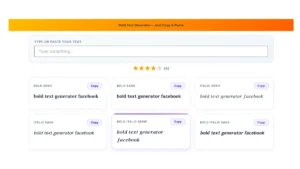
Fontoos is a great choice if you want a quick and easy way to create bold text for Facebook.
Simply type or paste your text, choose a bold style, and copy it.
You can then paste the text directly into your Facebook post. The best part? You don’t need to be a designer or learn complicated formatting.
Best for: Simple, fast, and eye-catching Facebook text.
YayText
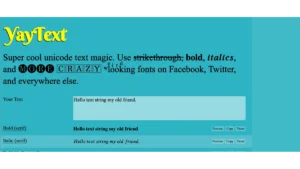
YayText is another popular option for creating stylish Facebook text.
It offers bold, italic, and several other Unicode text styles.
It’s handy when you want your Facebook posts to have a little more personality.
LingoJam
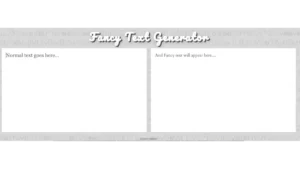
LingoJam lets you transform normal text into different Unicode styles.
It’s a fun option if you want to experiment with more than just bold text.
Fancy text generators
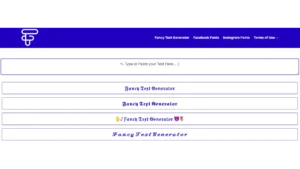
Fancy text generators offer a variety of styles, including bold, italic, script, and decorative fonts.
They’re useful for creative Facebook posts, although it’s better to stick with simple styles when readability is important.
Facebook text formatter

A Facebook text formatter is useful if you want to format an entire post instead of changing just one word or sentence.
You can combine styles such as bold and italic to make important parts of your post easier to notice.
Which Is the Best Bold Text Generator for Facebook?
If you want something simple and easy to use, Fontoos is our #1 pick.
A good Facebook bold text generator should be:
- Easy to use
- Free or affordable
- Mobile-friendly
- Quick to copy and paste
- Easy to read
- Packed with useful text styles
You don’t necessarily need hundreds of fancy fonts. A clean bold style is often enough to make a Facebook post more noticeable.
How to Make Bold Text on Facebook
Making bold Facebook text takes just a few seconds:
- Write your text.
- Open a bold text generator.
- Enter or paste your text.
- Choose a bold style.
- Copy the result.
- Paste it into Facebook.
That’s it!
A bold text generator for Facebook is a simple way to give your posts more visual impact.
You don’t need special software or design skills—just create your text, copy it, and paste it into Facebook.
If you’re looking for an easy place to start, Fontoos is our top pick. Give it a try and see how a little bold text can make your Facebook posts more eye catching.